
Use Case · home automation · browser control
OpenClaw Grocery Automation: Browser-Based Tesco Ordering Workflow
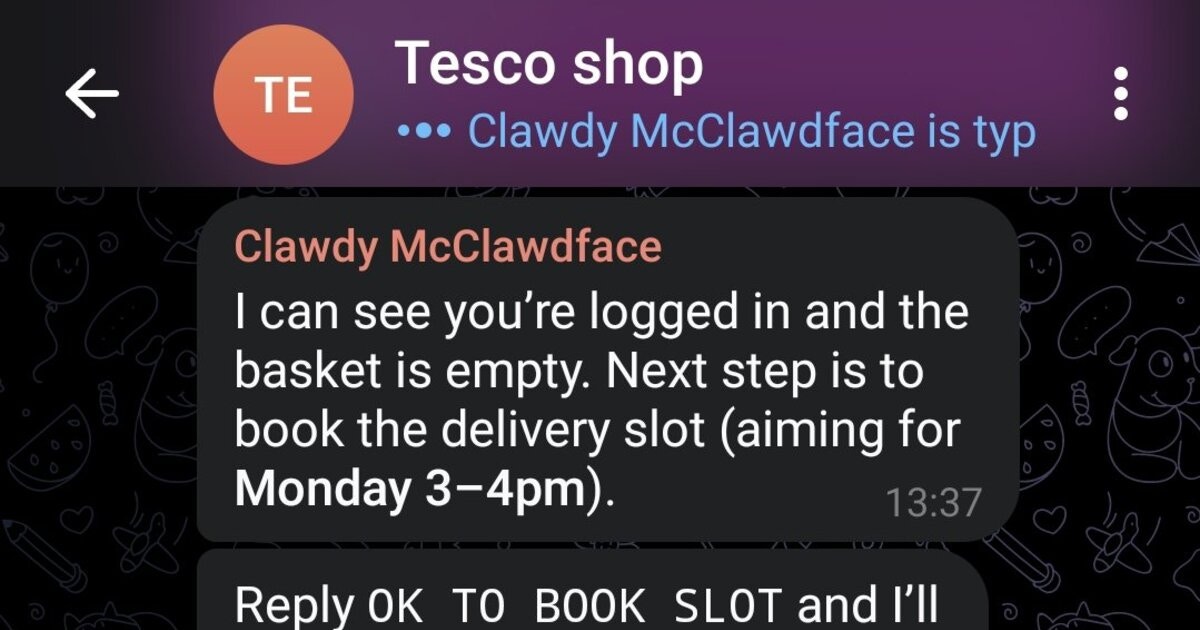
This workflow uses OpenClaw browser automation to convert a weekly meal plan into a completed Tesco order, including cart building and delivery-slot booking.
Last updated: 2026-03-08 · Language: English
0) TL;DR (3-minute launch)
- Weekly grocery shopping is repetitive: open the store, add regulars, adjust quantities, find a delivery slot, and submit.
- Workflow in short: Input → Process → Output.
- Start fast: Set up OpenClaw and Telegram ( setup guide ).
- Guardrail: Require final human confirmation before payment.
1) What problem this solves
Weekly grocery shopping is repetitive: open the store, add regulars, adjust quantities, find a delivery slot, and submit. OpenClaw can automate this routine to reduce manual clicks and missed restocks.
2) Who should use it
- Busy households with repeat purchases each week
- Users in regions where store APIs are unavailable or limited
- Anyone wanting chat-driven shopping with human confirmation before checkout
3) Workflow map
1
Input
Meal plan + regular items + budget/constraints.
2
Process
OpenClaw navigates Tesco pages, fills cart, checks substitutions, picks delivery slot.
3
Output
A pre-checked cart and confirmation summary sent to Telegram before final submit.
4) MVP setup
- Set up OpenClaw and Telegram (setup guide)
- Create a "regular items" list in plain text/CSV
- Define strict confirmation rule: never place final order without explicit "confirm" message
- Schedule a weekly run via cron prompt
5) Prompt template
Build this week's Tesco order from my regulars list and meal plan.

Constraints:
- prioritize items in regulars
- do not exceed budget: £{budget}
- if item unavailable, suggest up to 2 substitutes
- choose earliest delivery slot after 18:00

Before final checkout, send a summary and wait for explicit approval.
6) Cost and payoff
Cost
Initial tuning (selectors and fallbacks) takes 1-2 hours.
Payoff
Saves repetitive shopping time every week and reduces forgotten items.
Maintenance
Browser selectors may need occasional updates when store UI changes.
7) Risk boundaries
- Require final human confirmation before payment
- Set max order value to prevent runaway carts
- Use account with minimal payment exposure where possible
8) Related use cases
Source links
- OpenClaw Showcase
- Awesome OpenClaw Use Cases — Showcase-first (no dedicated Awesome entry)
- Tesco Shop Autopilot source post